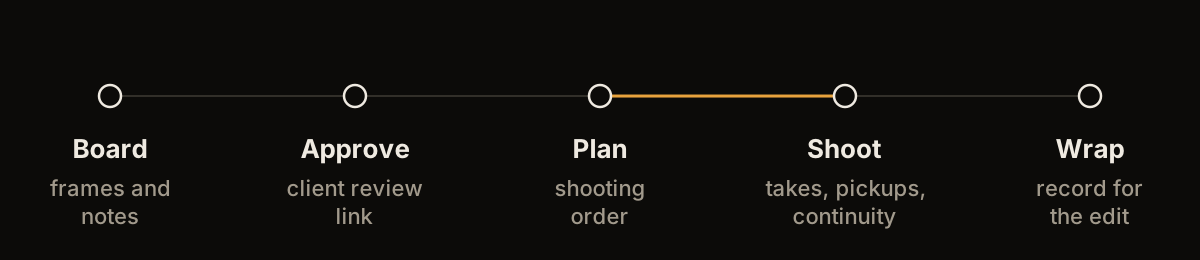
Storybrdr is a storyboard app for filmmakers who want the board to stay useful after pre-production.
Build the board from references, photographs or sketches. Arrange the sequence, add shot notes and share it for feedback. When the board is ready, those same shots can move into a shot list and shooting order. On set, the frame is still there beside the shot rather than buried in an old PDF.
It works in the browser across desktop, iPad and phone, so the same project can move with the job.

A laptop or desktop is usually the easiest place to build a detailed board. You can bring in references, arrange frames, work through scenes and add the information the shoot needs.
Storybrdr is designed around the way boards are actually assembled. Some frames may be sketches. Others may be location photographs, treatment references, previous work or stills that explain a composition more quickly than a drawing would.
The board does not need to look like an animation department document to be useful. It needs to make the intended shots clear.

The library in the sample project. Every upload lands here.
An iPad is useful when the board needs to be more portable: sitting with a producer, working through a treatment, reviewing a sequence on a recce or making changes away from the desk.
Because Storybrdr is browser based, there is no separate tablet project to maintain. Open the same board and keep working.
Frames can be drawn in Storybrdr with three line weights and four ink strengths, and on iPad the drawing tool supports Apple Pencil with palm rejection. Any frame, drawn or photographed, can also be annotated with a sketch, arrow or box.

The same board on an iPad. No second project to keep.
A PDF is still useful when somebody needs a fixed document, and Storybrdr can export one. It does not have to be the working version of the board.
A review link lets a client, agency or collaborator see the current sequence and leave notes without needing a Storybrdr account. That keeps feedback beside the work it refers to and avoids several slightly different PDFs circulating around the same production.
For a filmmaker working alone or with a small crew, the same review tools can simply be used to share the plan with whoever needs to see it.

What the client sees. No account needed.
Once the sequence is settled, the shots can be put into shooting order.
Story order explains how the film plays. Shooting order reflects how the day will actually run: location, setup, cast, light, kit and whatever else makes sense for the job.
That distinction matters whether it is a commercial with a full crew or a two-person branded shoot. The scale changes. The need to know what you are shooting next does not.

The days planned in the sample project. The board's own order is never touched.
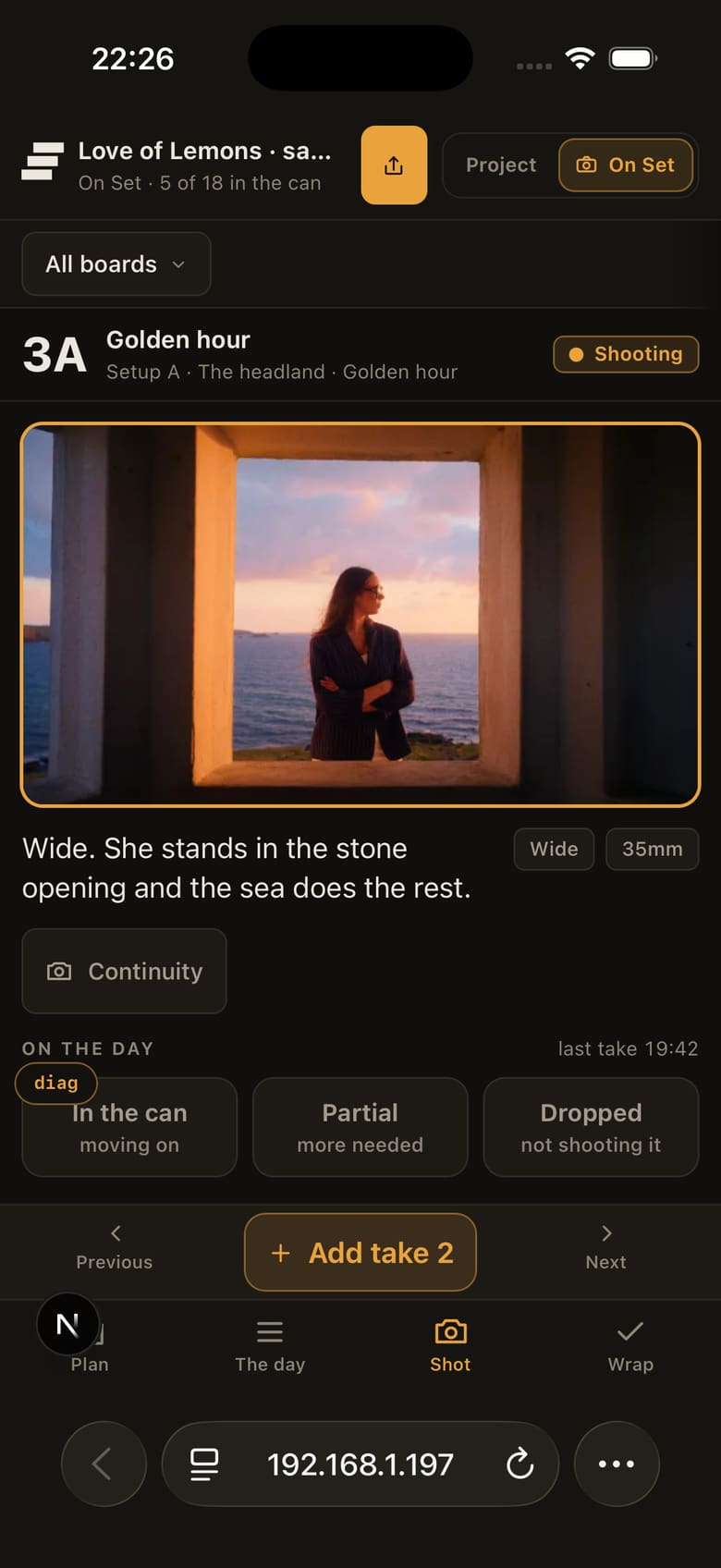
On a phone, Storybrdr becomes a practical reference for the day.
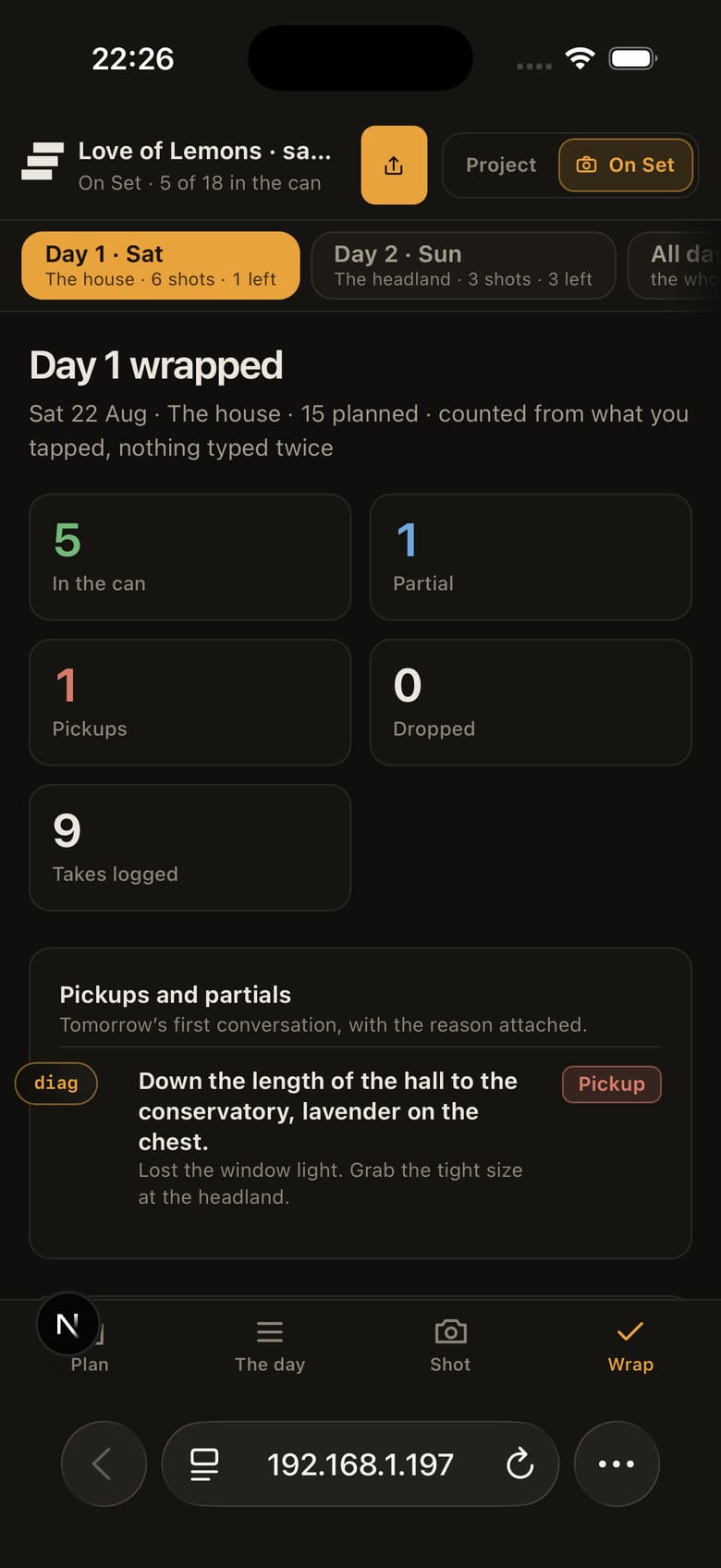
Open the shot, see the approved frame and notes, mark progress and record takes. Circled takes, pickups and continuity can stay attached to the shot they belong to.
This is where keeping the board connected starts to save work. There is less copying between the board, a spreadsheet, camera notes and somebody's phone.


The shot, then the wrap, on the phone already in a pocket.
People use both terms for much the same category.
“Storyboard software” often suggests a desktop tool. “Storyboard app” increasingly covers tools used across a browser, tablet or phone. Storybrdr is both: software for building and managing a storyboard, delivered as an app that can follow the production across devices.
If your main requirement is specialist drawing or frame-by-frame animation, a dedicated drawing or animation package may suit the job better. Storybrdr is aimed at filmmakers who need to plan shots, share the board and keep that information useful through the shoot.
Storybrdr is built for directors, producers, DoPs and production teams, but it does not assume every job has a production office behind it.
A freelance filmmaker planning a short, a small crew shooting branded work and a director working through a production company all need many of the same things: a clear board, an organised shot list and a reliable plan for the day.
It works for a director boarding a short, a small crew on branded work, or a production company running several jobs through the same workspace.
Invite the people making the job into the same workspace, each with their own login. The board, shot list and shoot day stay with the project, while clients can still review by link without joining the workspace.
The quickest way to judge a storyboard app is to use it on something you are actually planning to shoot.
Start with the references you already have, build the sequence and see whether keeping the board connected to the shot list makes the job easier.
30 days free · Full access · Cancel anytime
Card required to start. You will not be charged until your 30-day trial ends.
Start your 30-day free trial