
Storybrdr turns the shots already in your board into a working shot list.
The frame, shot number and notes do not need to be typed again. Put the shots into shooting order, take the list onto set and keep the useful record of what happened with the shot.
That makes it suitable for a commercial with a crew and just as useful for a filmmaker running a smaller job from a phone.
By the time a storyboard is approved, a lot of the shot-list work already exists.
You have the frames, shot numbers, action and often the lens, movement and angle. Storybrdr carries that information into the shot list rather than treating it as a new document.
Add the production detail the job needs and leave out the fields it does not.
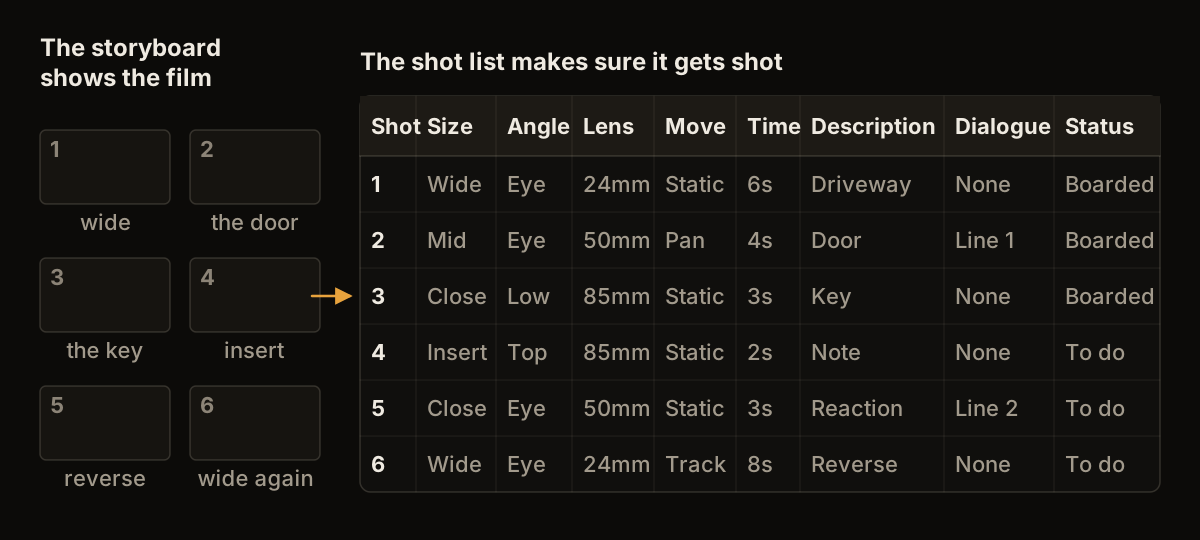
The board shows the film. The shot list makes sure it gets shot.
The edit order is rarely the efficient shooting order.
Rearrange the shots around the actual production: location, lighting setup, talent, time of day, kit or practical effects.
The storyboard can stay in story order while the shoot has its own order. Both refer to the same underlying shots.

The days planned in the sample project. The board's own order is never touched.
On set, speed matters more than a complicated production-management interface. Running a shoot day from your phone goes through what is worth recording while the day is moving.
Open the next shot, check the frame and notes, then update it as the day moves. The phone is often the most useful screen because it is already in a pocket and does not require another person to carry a laptop around the location.
The shot list lives with the project, so everyone working in the workspace is looking at the same current version, each from their own login. There is no second copy to send around when the order changes. For a two-person shoot, it can simply replace the paper list and notes app.
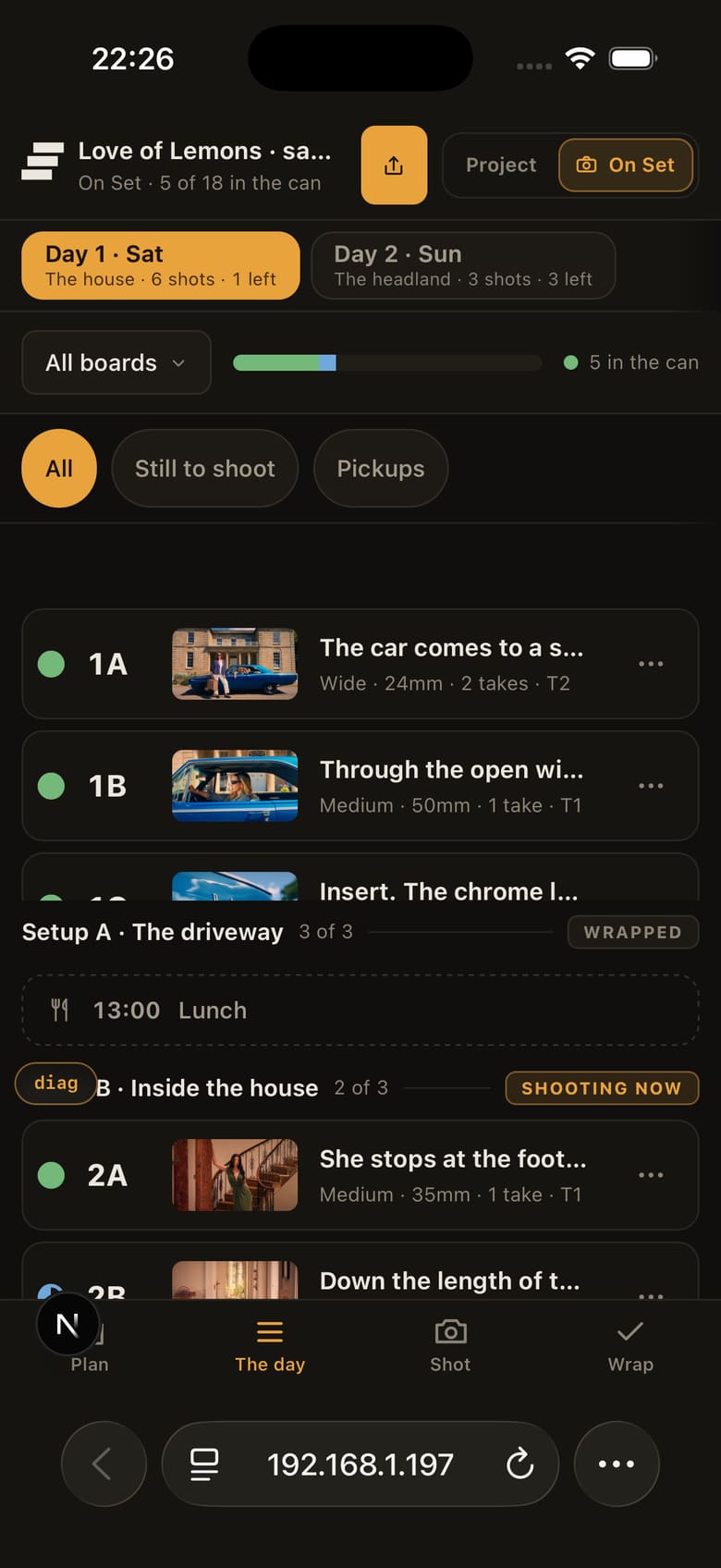
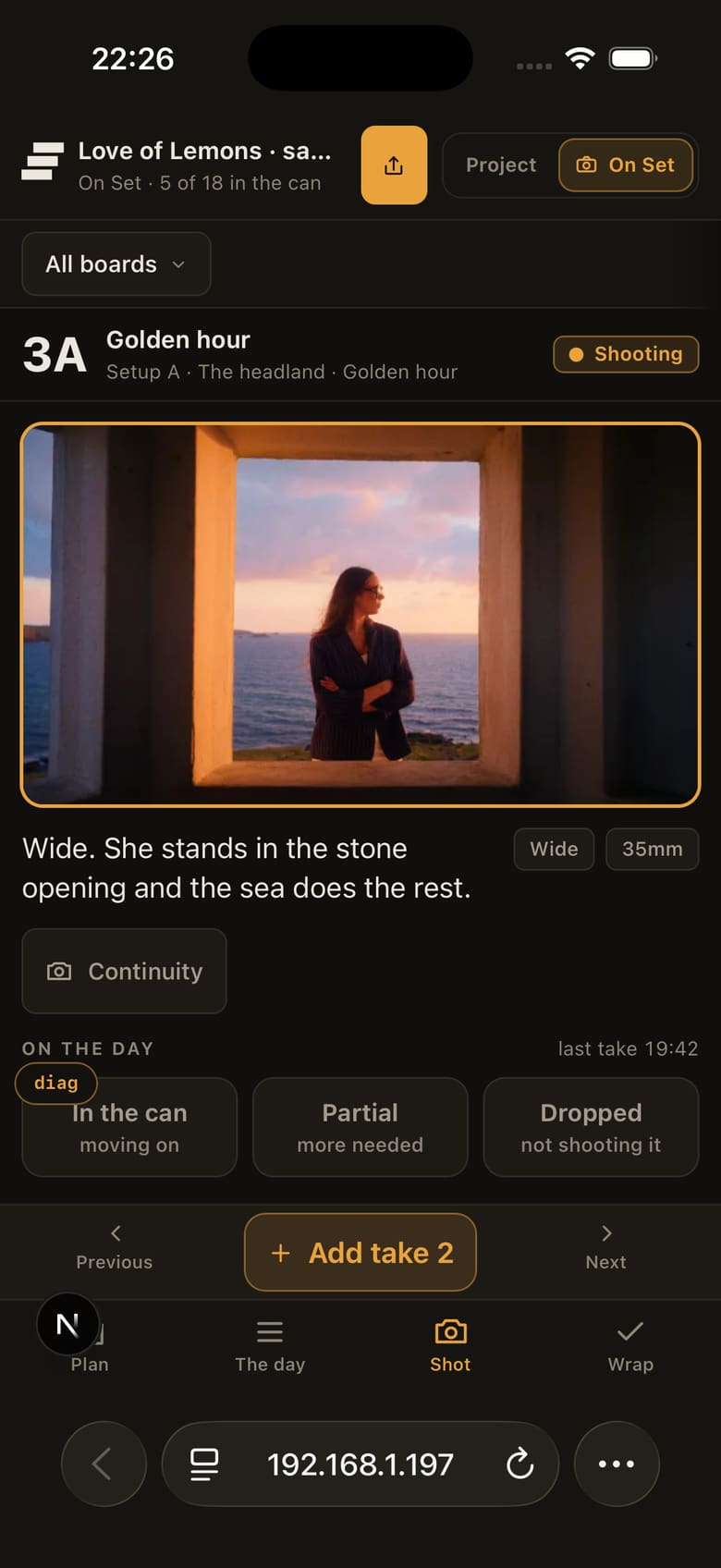
The day, then the shot, on the screen already in a pocket.
Record takes against the shot while they are still fresh.
If there is a take you want the editor to look at first, circle it. That creates a useful handover for the editor without relying on somebody reconstructing the day later from memory and camera cards.
Storybrdr is not trying to replace proper camera reports on productions that need them. It gives filmmakers a practical record where a separate reporting workflow would otherwise be overkill.

The day as it stands, counted from what was tapped.
A pickup needs enough context to be useful later.
Keep the original frame, shot information and note together so the missing piece is obvious. That is more useful than an unchecked row with no explanation of what still needs to happen.
Continuity photographs can stay attached to the relevant shot.
On productions with a script supervisor, Storybrdr does not replace their work. On smaller shoots where continuity is being handled by the director, producer or another crew member, keeping the photograph with the shot makes it much easier to find again.
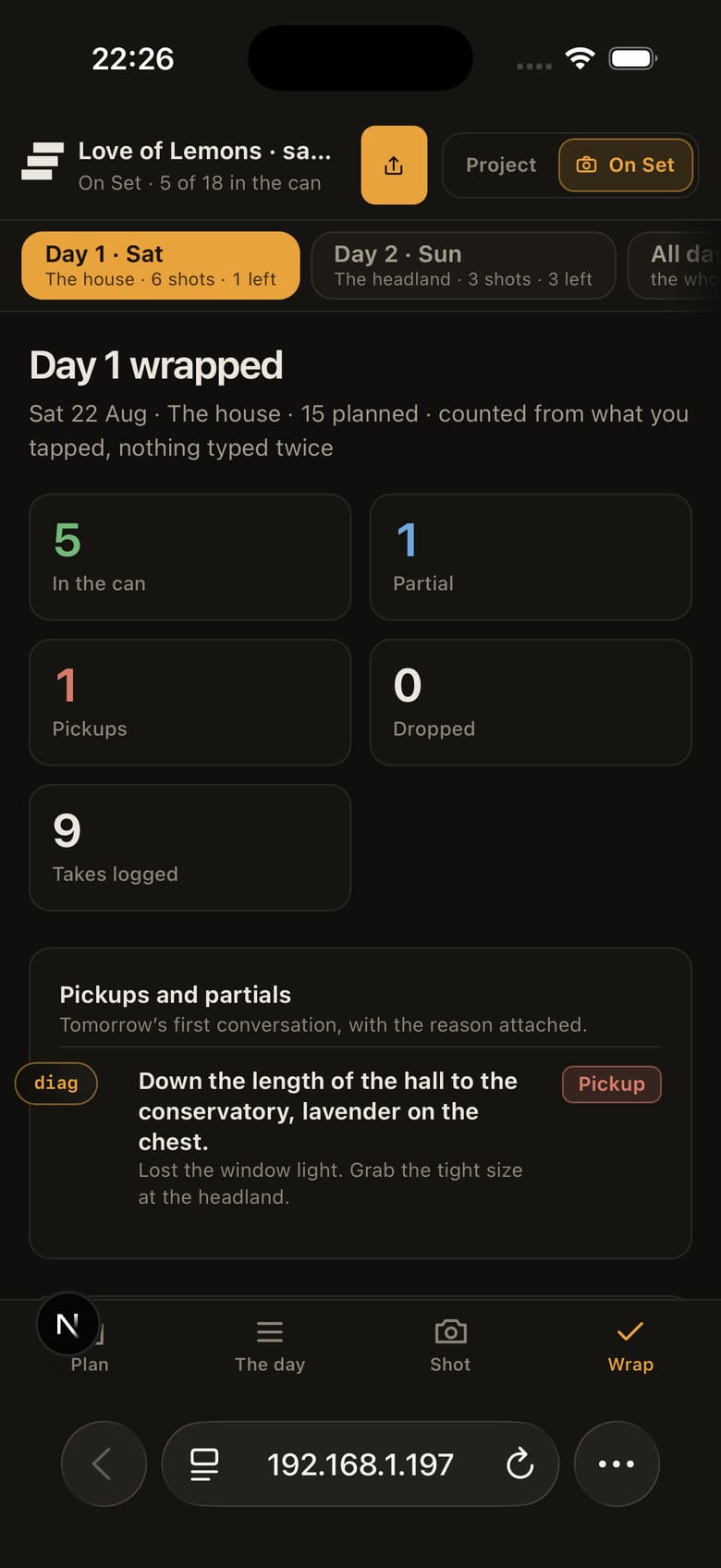
Pickups and continuity, read back at wrap from the shots they belong to.
At wrap, the shot list has become a record of the day.
Completed shots, circled takes, pickups and continuity are already organised around the frames the production planned.
That can make the handover to the editor cleaner and gives production a useful record if something needs checking after the shoot.

Wrap, written from the day rather than typed again.
A spreadsheet is still a perfectly good way to make a shot list.
It is flexible, familiar and easy to customise. For a simple job, that may be all you need.
Storybrdr becomes useful when the same shots already exist in a storyboard, need to be rearranged for the day and then updated on set. The benefit comes from keeping those stages connected rather than recreating Excel inside a browser.
If you already have a storyboard, build the shot list from those shots.
If you are starting with the list, the free shot-list template is a straightforward way to work out the fields your production actually needs before deciding whether to manage it in Storybrdr.
30 days free · Full access · Cancel anytime
Card required to start. You will not be charged until your 30-day trial ends.
Start your 30-day free trial