Best storyboard apps for iPad
Compare the best storyboard apps for iPad for drawing, planning shots, sharing boards and client feedback, from a filmmaker's point of view.
A storyboard app for iPad has two different jobs to do, and no single app does both well: drawing the frames, and organising, sharing and reviewing the board once the frames exist. The device matters more than most software comparisons admit.
At a desk you have room for scripts, thumbnails, shot information and multiple windows. An iPad is brilliant for reviewing images, rearranging sequences and drawing. A phone is different again. On set, you need the next shot in seconds, probably while standing up, carrying something and answering somebody at the same time.
Good production software should understand those differences rather than simply squeezing the desktop interface onto a smaller screen.
This piece is about the devices. For the full desktop comparison, see the best storyboard software guide.
We make Storybrdr, so read our first entry knowing that. Here are the tools we think handle different parts of that job best.
1. Storybrdr
Storybrdr is one project that stays the same on all three screens, and each screen is good at a different part of the job. A laptop gives you room to build, an iPad is excellent for arranging, drawing and reviewing, and a phone comes into its own on the shoot day. Nothing is locked to a device: you can build a board on the iPad, and you can read the shoot day on the laptop.
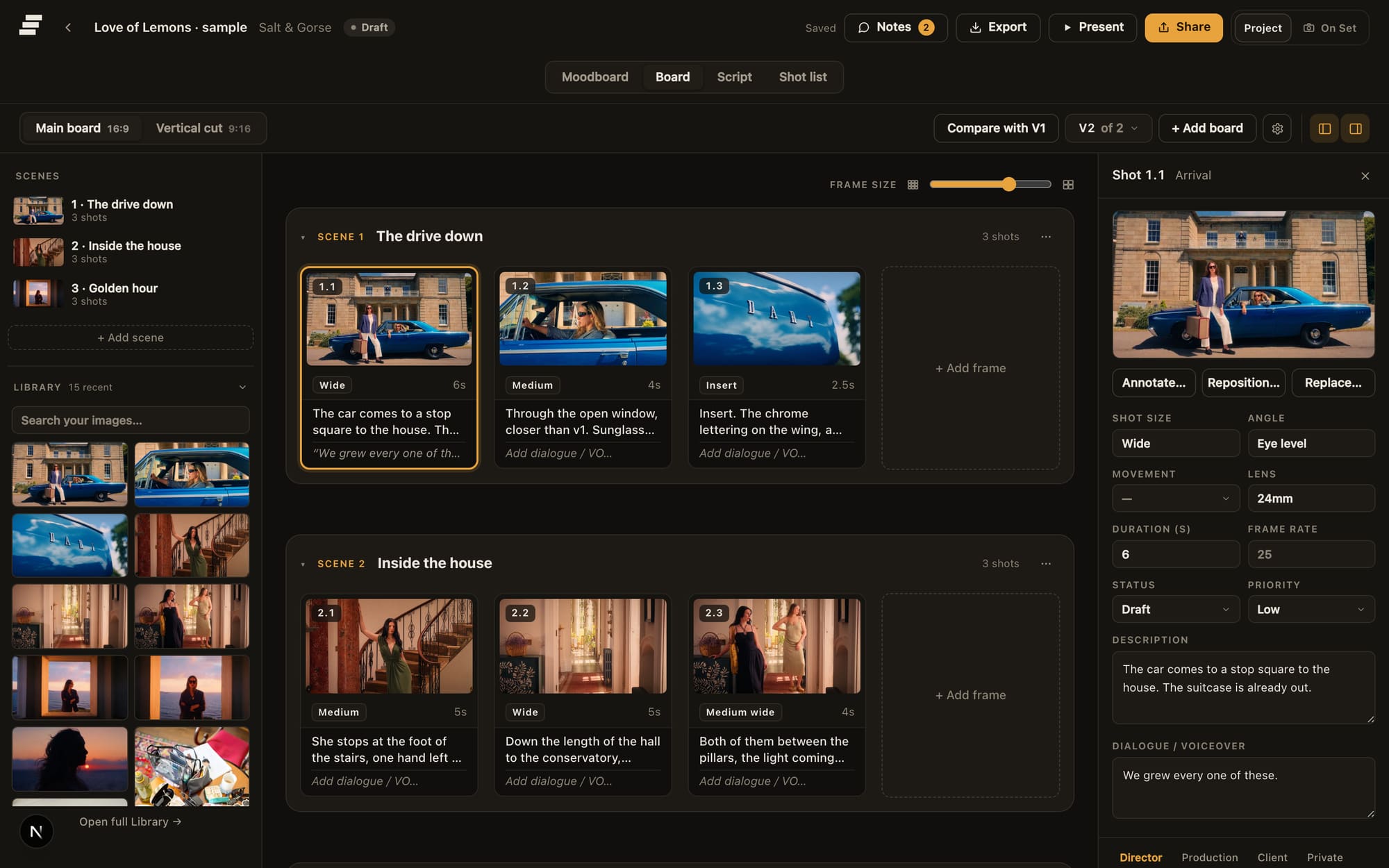
Desk: where the board gets built.
Storybrdr runs in the browser on all three, with no install and nothing to keep updated across a crew, and a native iOS app is in build.
A board started on a laptop can be reordered and drawn on with a Pencil on the iPad, then opened on a phone as the working shooting order. It is the same project throughout, not an export of one.
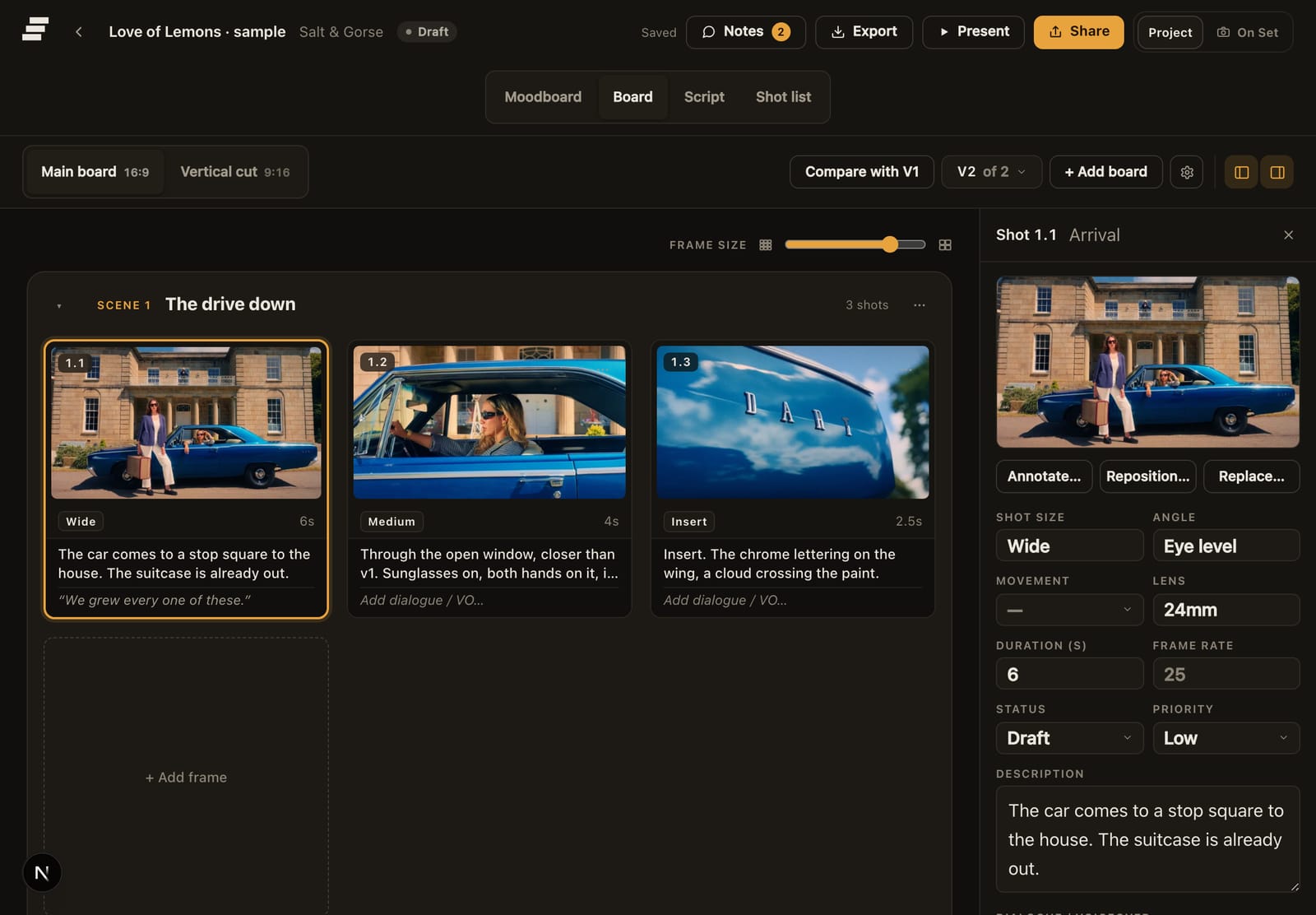
iPad: reviewing and arranging, three frames across. On set, you are not trying to edit a tiny version of a desktop board. The important information is brought forward: the approved frame, shot details, status, takes, circled takes, notes and continuity.
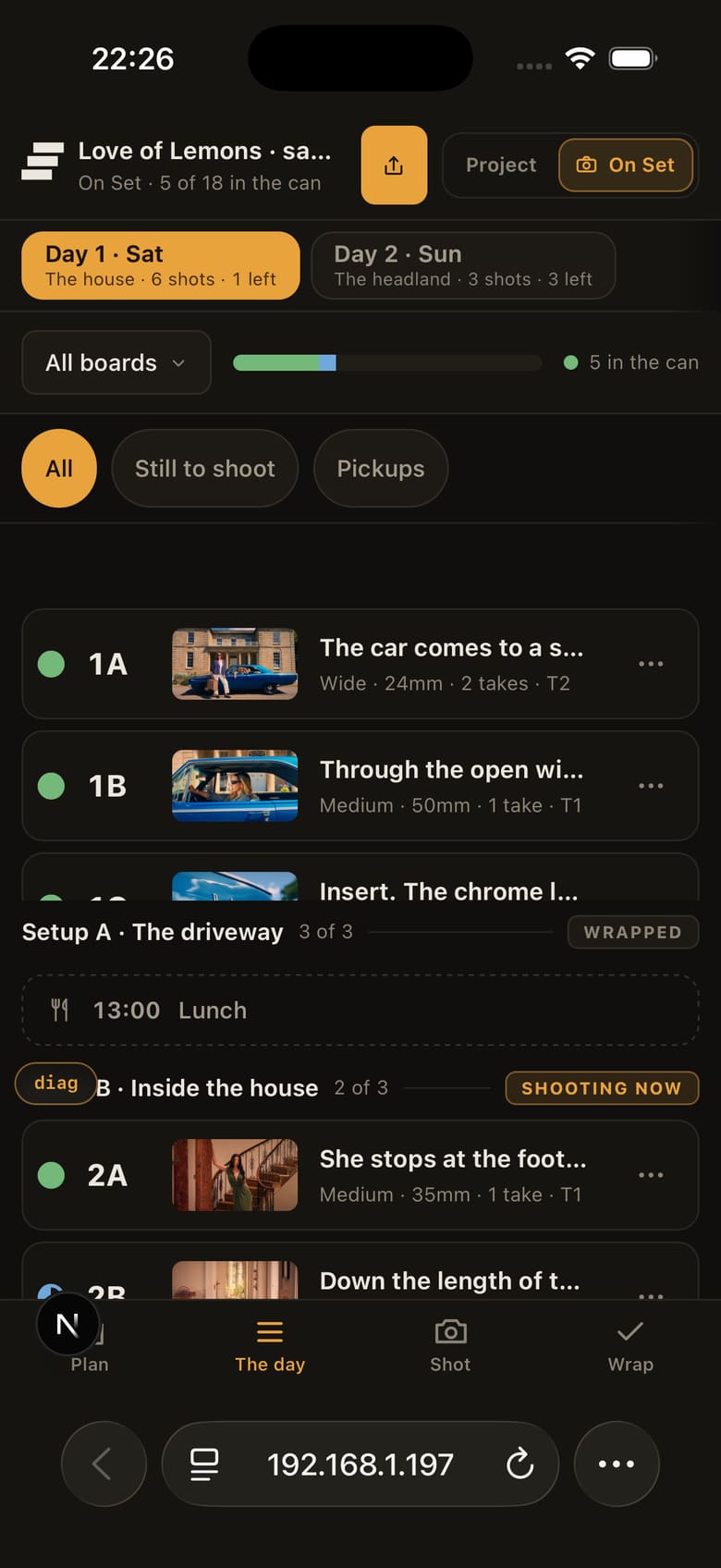
Phone: the day itself, one-handed.
That distinction matters. Responsive design means very little if the actual job on a phone is still painful.
Storybrdr costs £29 per month including UK VAT, with the full product available during the 30-day trial.
Best for: filmmakers who want one project to work naturally across production devices.
2. Procreate
For drawing storyboard frames on an iPad, Procreate is hard to beat. It is not a storyboard management system, but the Pencil experience is excellent and many storyboard artists and directors use it to create frames before moving them into another application.
If drawing quality matters more than shot metadata or client workflows, that can be exactly the right approach.
Best for: drawing frames on iPad.
3. Milanote
Milanote translates particularly well to a tablet because the product is fundamentally visual, and there are native iPad and mobile apps as well as the browser. Images, references, notes and boards can be moved around without requiring a complicated production structure. It is therefore excellent during the loose part of creative development.
Once you need formal shot numbers, shooting order, takes and production tracking, you will normally need another tool.
Best for: visual research and moodboarding.
4. Shot Lister
Shot Lister understands the phone as an on-set tool rather than a tiny office. Its strength is running a shot list during production, including schedule and progress information. If that is the problem you need solved, it is a focused and established option.
The storyboard itself usually lives elsewhere.
Best for: dedicated shoot-day shot lists.
5. Boords
Boords is browser based, so boards can be viewed and reviewed from a tablet as well as a laptop. Its client sharing and storyboard presentation remain strong.
For extensive editing, the experience still makes most sense with more screen space, and the product does not extend into a dedicated shoot-day workflow.
Best for: client review of polished storyboards.
6. Canva
Canva's mobile and tablet apps make basic storyboard templates very accessible. For quick visual documents, that convenience is difficult to beat.
It remains a general design application rather than a filmmaking system, but not every board needs to become one.
Best for: simple storyboard templates.
7. Celtx
Celtx's mobile tools are useful if your production revolves around a screenplay and its associated planning documents. Its storyboard functionality is part of that broader script-first environment.
Best for: screenplay-led projects.
8. Plot
Plot offers a relatively lightweight web experience that works well for straightforward boards and does not require a complicated setup, and it advertises iPad and Apple Pencil support in the browser. Its simplicity is both the attraction and the limitation.
Best for: basic web-based boarding.
A note on Storyboarder and Toon Boom
Both belong in any serious discussion of storyboard software, but neither is really part of the mobile story. Storyboarder is a strong free desktop option. Toon Boom Storyboard Pro remains the professional choice for drawn animation boards. Neither should be chosen because you need to pull your phone out during a recce or run a shooting day from it. The full comparison covers the desk as well.
The useful test
The best mobile storyboard app is not necessarily the app with the most desktop features. Ask where you actually use it.
If you draw on an iPad, Procreate may be part of the answer. If you build moodboards on the sofa, Milanote makes sense. If you only need to run a shot list, Shot Lister is purpose-built for it.
If you want the visual plan, client-approved board and shoot record to remain connected across laptop, tablet and phone, that is the workflow Storybrdr was built around, and running a shoot day from your phone shows the phone half of it properly.
Questions people ask
What is the best storyboard app for iPad? It depends which of the two jobs you mean. For drawing frames, Procreate, which is a one-off purchase and the app most storyboard artists on an iPad already own. For arranging, sharing and reviewing the board, and for taking the same project onto the shoot, Storybrdr runs in the iPad's browser with no install. Plenty of people use the two together: draw in Procreate, then bring the frames into the board.
Is there a free storyboard app for iPad? For arranging images, yes: Milanote's free plan and Canva's free plan both run on an iPad, and either will hold a simple board. Procreate is a one-off purchase rather than a subscription. Storybrdr is not free; it has a 30-day trial with the full product, with a card taken at the start and nothing charged until the trial ends.