Running a shoot day from your phone
What actually needs recording during a small or mid-sized shoot, and why the best on-set system is usually the one you can update in seconds.
Paper does not fail on set. Badly maintained information fails on set.
On a production with a script supervisor, 1st AD, camera department, sound team and production office, there may be several people whose job includes keeping the day's information accurate. On a six-person commercial crew, that responsibility often belongs to somebody who is already doing three other jobs.
That is when the printed board, spreadsheet, camera roll and somebody's notebook start drifting apart.
A phone can be a surprisingly good answer, as long as the software is designed for what people actually need during the day.
What needs to survive the shoot?
On most small shoots, I want six things to remain clear.
1. What are we shooting? The shooting order should be obvious. Not the order the film plays in, but the order the crew is actually working through. Shots should be grouped sensibly so you are not relighting the same location repeatedly because somebody forgot two inserts.
2. What have we got? Everybody asks some version of this throughout the day. What is complete? What is next? What is being held? What was dropped? What needs a pickup? That information should take seconds to understand.
3. Which takes mattered? You may shoot six takes and only really care about two. Mark that while everybody still remembers. The terminology and responsibility vary across productions, but the principle is simple: editorial should not have to rediscover every judgement that was already made beside the monitor. Circled takes, explained covers where that habit comes from.
4. What happened that the image will not explain? A plane ruined the dialogue. The actor changed a line. Take five had the best performance but a focus issue. The client wants a safer version. These notes are incredibly useful later and incredibly easy to forget.
5. What needs to match? Continuity is much easier to photograph than describe. Wardrobe, props, product position, liquid levels, hair, set dressing. If you are returning to something later, attach the image to the thing it needs to match.
6. What does the editor receive? The day should not end with somebody trying to remember which WhatsApp message contained the useful note. At wrap, the information already collected should be able to leave set as a coherent record. What the editor needs from your shoot describes that record properly.
Why the phone works
A good on-set interface has very different priorities from a desktop planning tool. You are standing up. You may be outside. You may have one free hand. Somebody may be speaking to you while you use it.
That means every interaction has to be quick. I do not want to open a spreadsheet cell, bring up a keyboard and type a status. I want to tap something.
The same applies to takes. Log the take when it happens. Circle the one the director wants at the moment they say so. Take a continuity photograph while you are standing in front of the setup.
The important principle is that the record is created as a side effect of running the day, not as admin somebody has to reconstruct afterwards.
How we approached it in Storybrdr
Storybrdr's On Set workflow starts with the approved shots rather than creating a separate production document.
Shots can be organised into setups and shooting days beforehand. When the day starts, the phone presents those shots in production order with the visual reference alongside them.
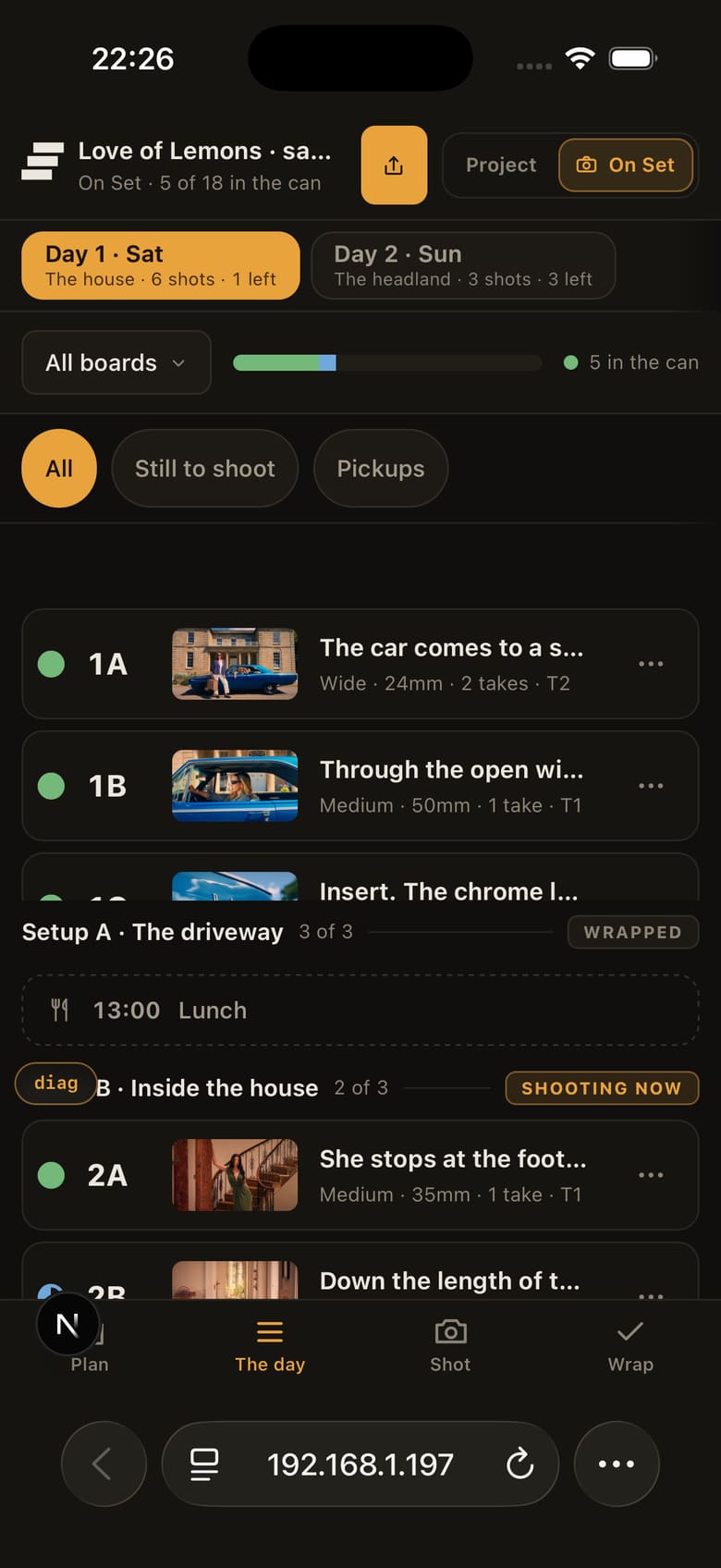
The day in shooting order, the approved frame beside every shot.
As the crew works, shot status, takes, circled takes, notes and continuity can be recorded directly against the shot.
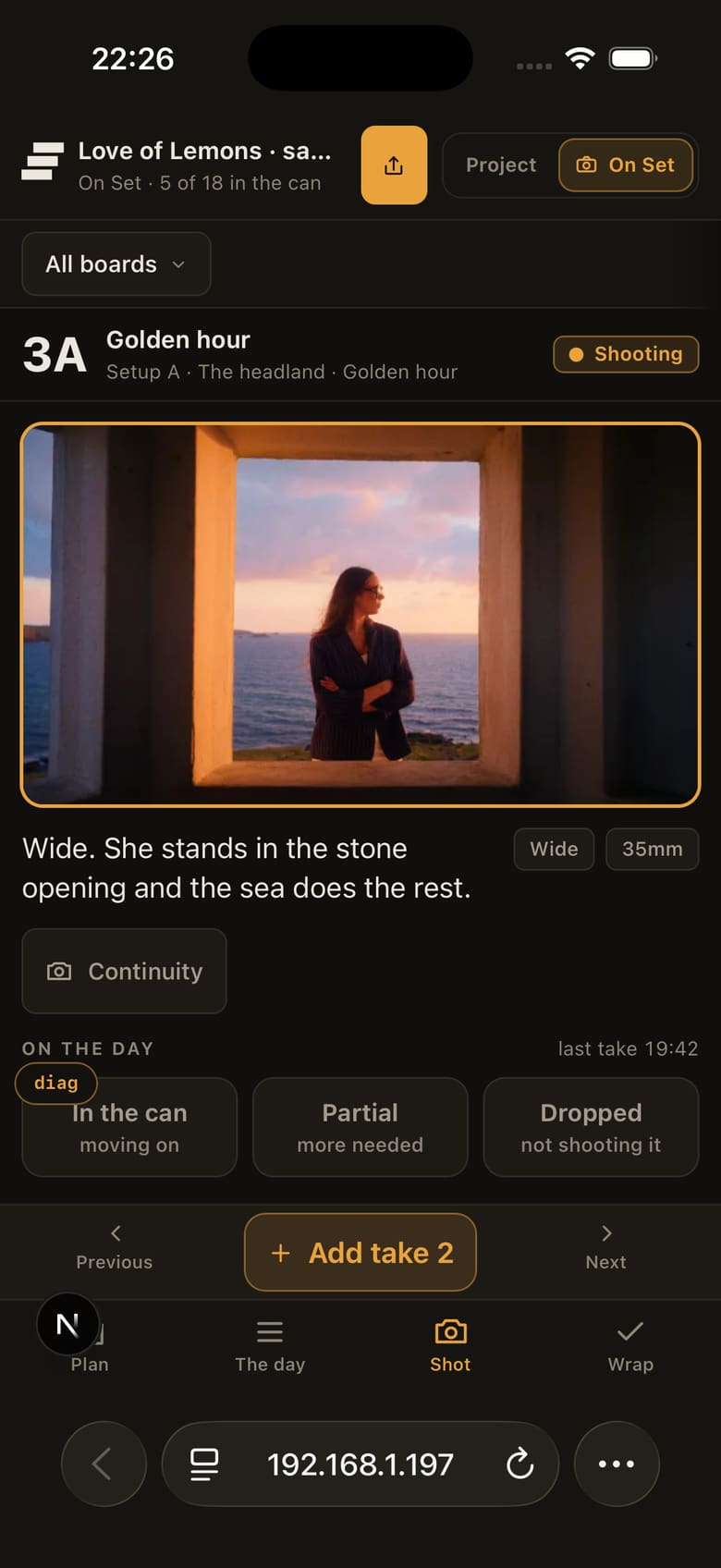
A tap logs the take; holding it circles the one the director liked.
That means the production record inherits the decisions already made during storyboarding and approval. It also means the editor can receive the result without somebody translating the day into another document at wrap.
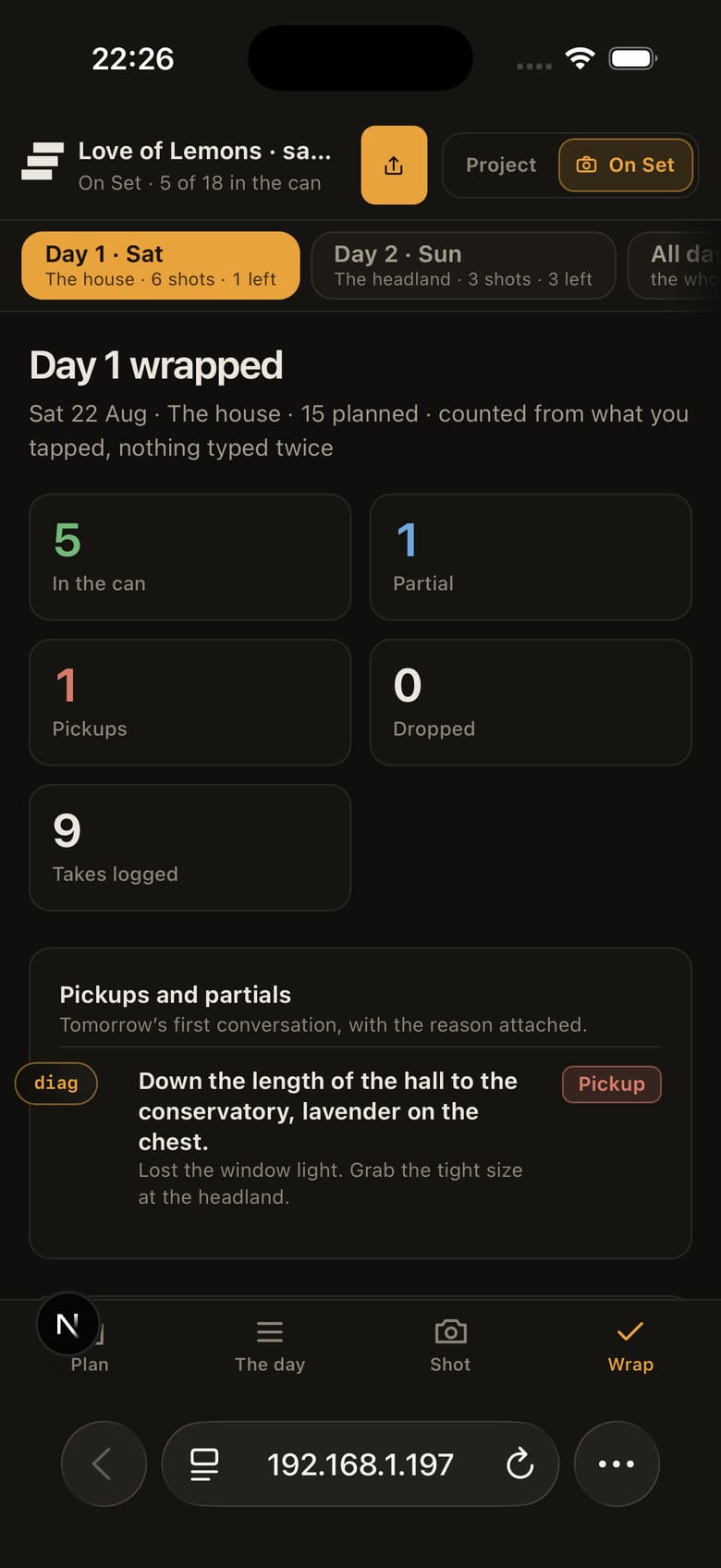
Wrap reads itself back from what was already tapped.
For very small crews, that continuity of information is more valuable to me than having a hundred production-management features.
What about signal?
Locations lose reception. Any software intended for a shoot needs to assume that will happen.
Storybrdr keeps supported shoot-day interactions locally when the connection drops and syncs them when connectivity returns. That is deliberately narrower than claiming the whole product is an offline application. The practical requirement is simply that stepping into a dead spot should not make you afraid to touch the shot list.
If all you need is a shot list
Use a shot-list app. Shot Lister has been doing that job for years and is a perfectly sensible choice if your only problem begins on the morning of the shoot.
The reason we built the day into Storybrdr is slightly different. Our problem began earlier. We wanted the thing we had already spent days discussing, boarding and getting approved to remain useful when the camera finally came out of the case.