Storyboard vs shot list: what each one is for
The practical difference between a storyboard and shot list, when to use each, and how story order becomes shooting order.
A storyboard and a shot list can describe the same production, but they are useful in different ways.
The storyboard shows the film as a visual sequence. The shot list makes sure the production has a practical record of the shots it needs.
On many jobs you want both.
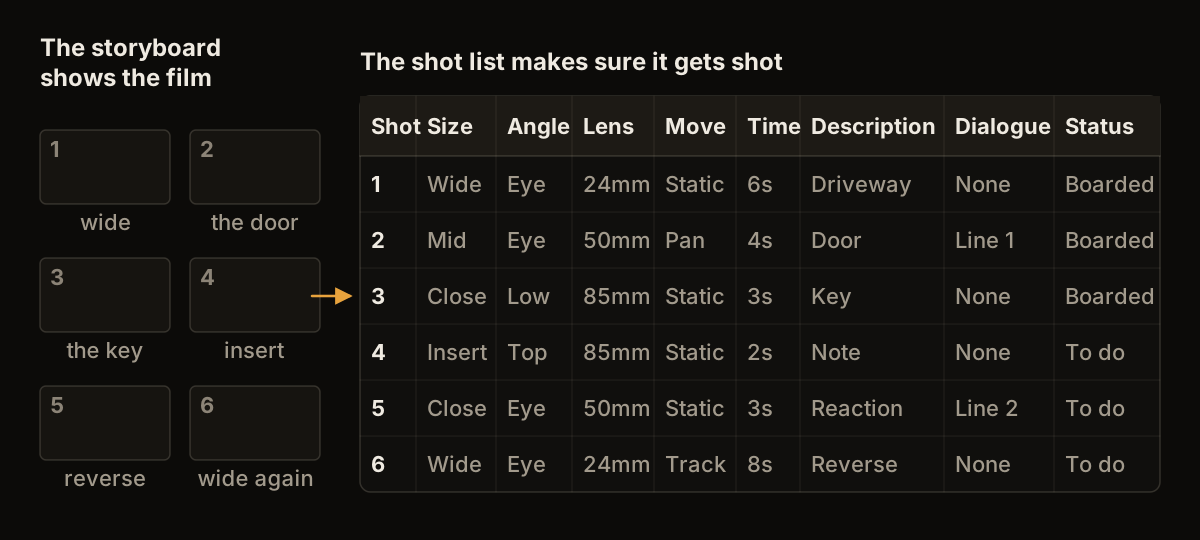
The same shots as a sequence of frames and as a list.
What a storyboard does
A storyboard puts the shots in the order the audience will see them.
The frame carries most of the information. Notes can explain movement, action, dialogue, supers or anything else that is difficult to show in one still.
Storyboards are useful for discussing the film before the shoot: with a DoP, producer, agency, client or the rest of the crew. They make visual decisions visible early enough to change them.
What a shot list does
A shot list is a production list.
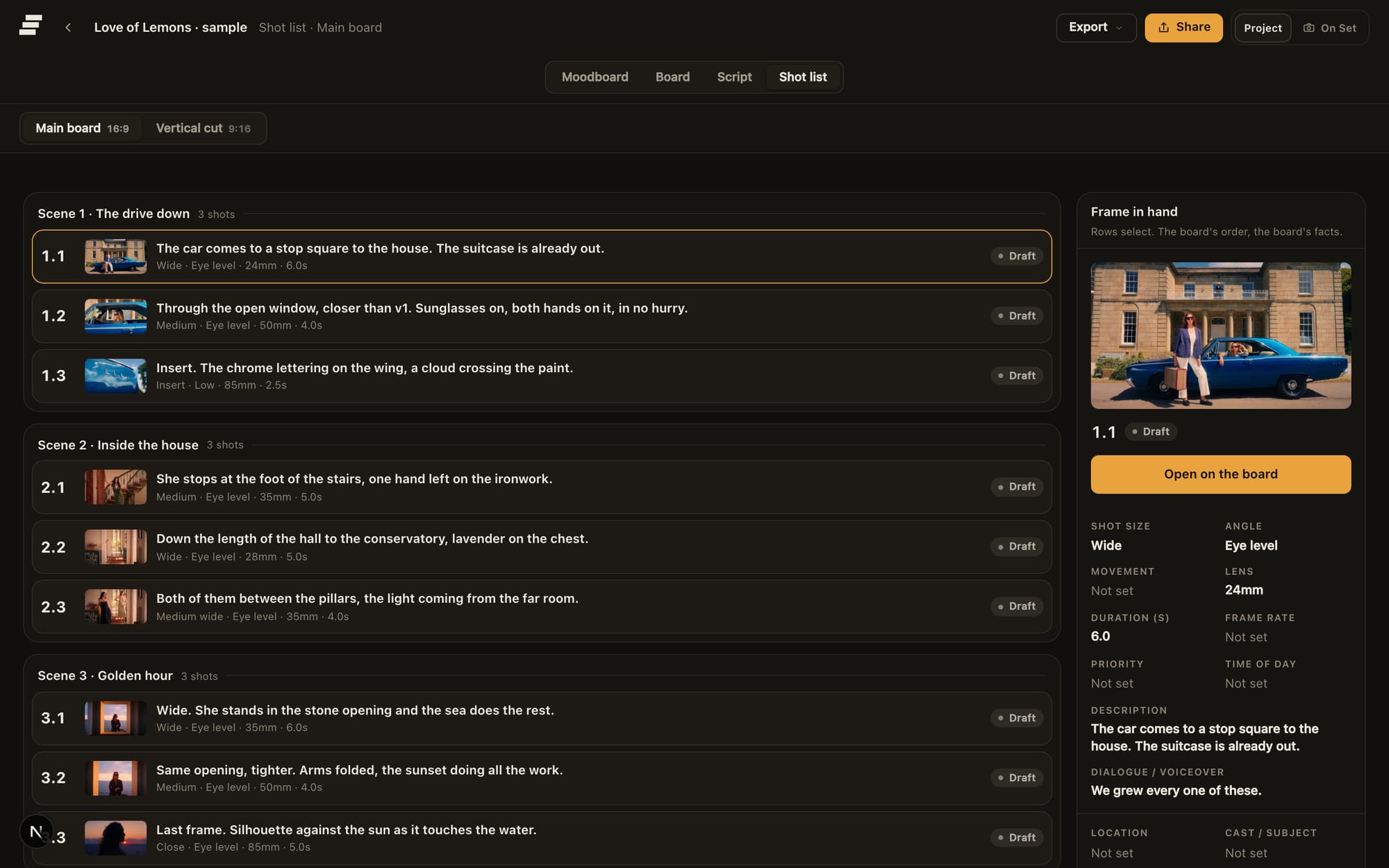
The shot list view, with the frame in hand beside the row.
It normally includes shot number, scene or section, shot size, action, camera information and whatever practical fields the job needs. Some productions will add lens, movement, location, cast, props or notes. Others keep it much lighter.
A shot list is especially useful for coverage that does not need its own storyboard frame.
Story order and shooting order
This is the distinction that causes the most unnecessary rebuilding.
The storyboard usually follows story order. If shot 1 cuts to shot 2 and then shot 3, that is how the board reads.
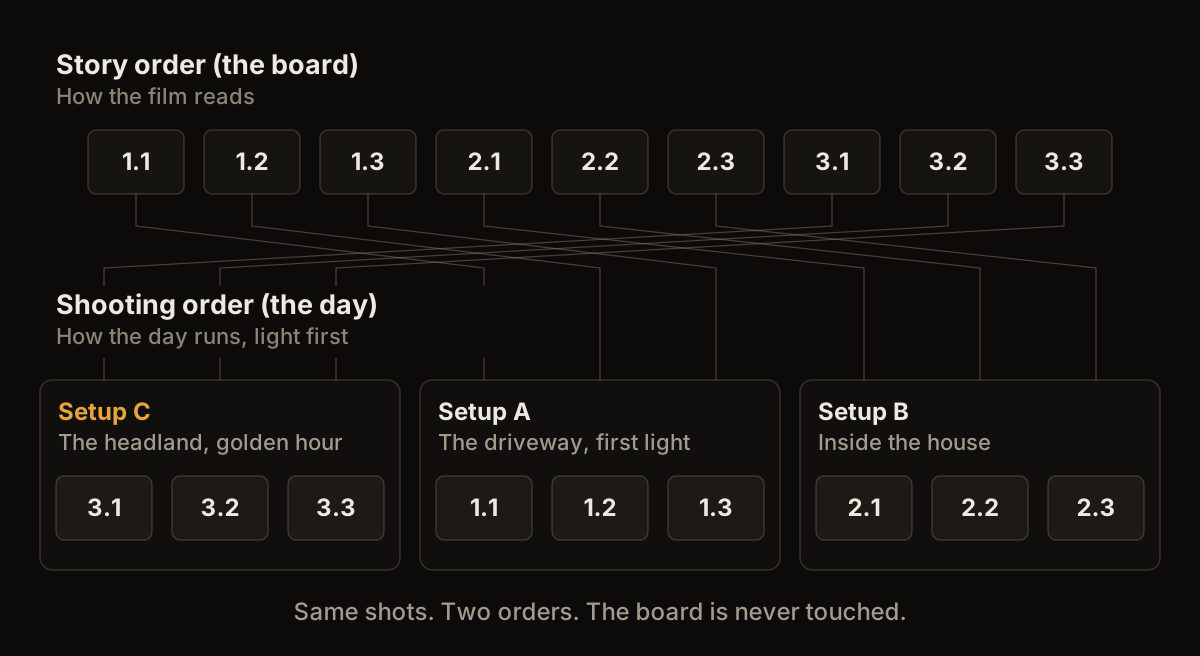
Story order above, shooting order below, built from the same shots.
The shoot may start with shot 14 because the light is right, then complete shots 6, 7 and 18 because they share the same setup.
Keep those as two views of the same shots. Do not rearrange the creative board until it no longer explains the film.
Setups and individual shots
A setup is not always the same thing as a shot.
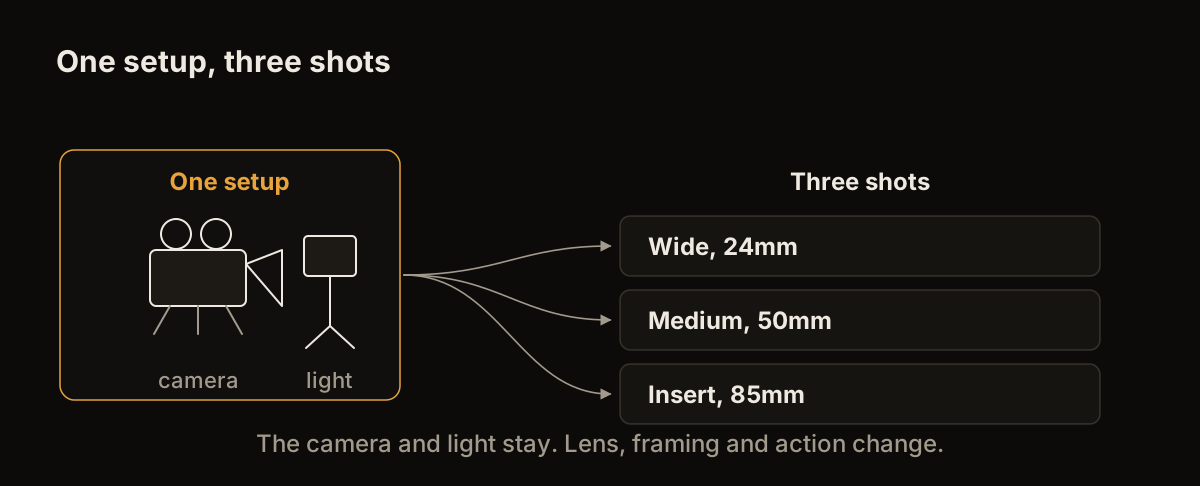
One setup, several shots taken from it.
You may keep the camera and lighting largely in place while changing lens, action or framing for several shots. Grouping those shots together can make the shooting order clearer and reduce unnecessary resets.
This is one reason a shot list becomes more useful as the production gets closer to the day.
When a storyboard is enough
For a very small shoot with a handful of clearly boarded frames, the board itself may be all you need.
If each frame maps directly to one shot and everybody understands the order, creating a second document can add work without adding much value.
When a shot list is enough
Some jobs do not need a storyboard.
Straightforward interviews, simple event coverage or conventional coverage may be easier to plan as a shot list, recce notes and references.
Use a storyboard when seeing the sequence solves a real production or creative question.
When to use both
Commercials, music videos, shorts and more involved branded films often benefit from both.
Use the storyboard to develop and agree the visual sequence. Use the shot list to make sure the coverage is complete and organise the day.
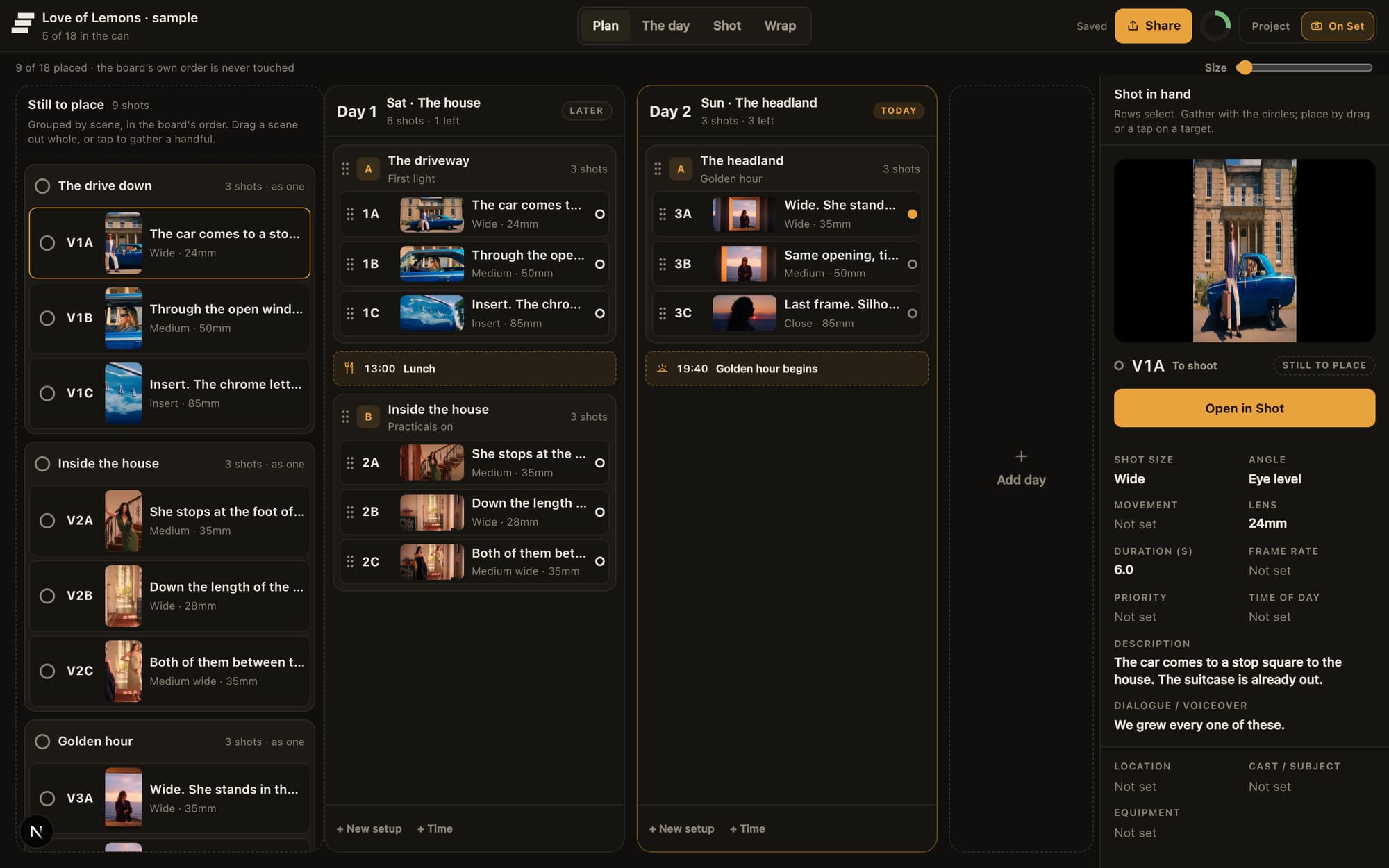
Planning the days from the same shots. The board's own order is never touched.
Storybrdr keeps the two connected, so a frame that was approved in the board can still be beside the shot when it is being filmed.
What happens after the shoot
A working shot record can carry useful information into the edit.
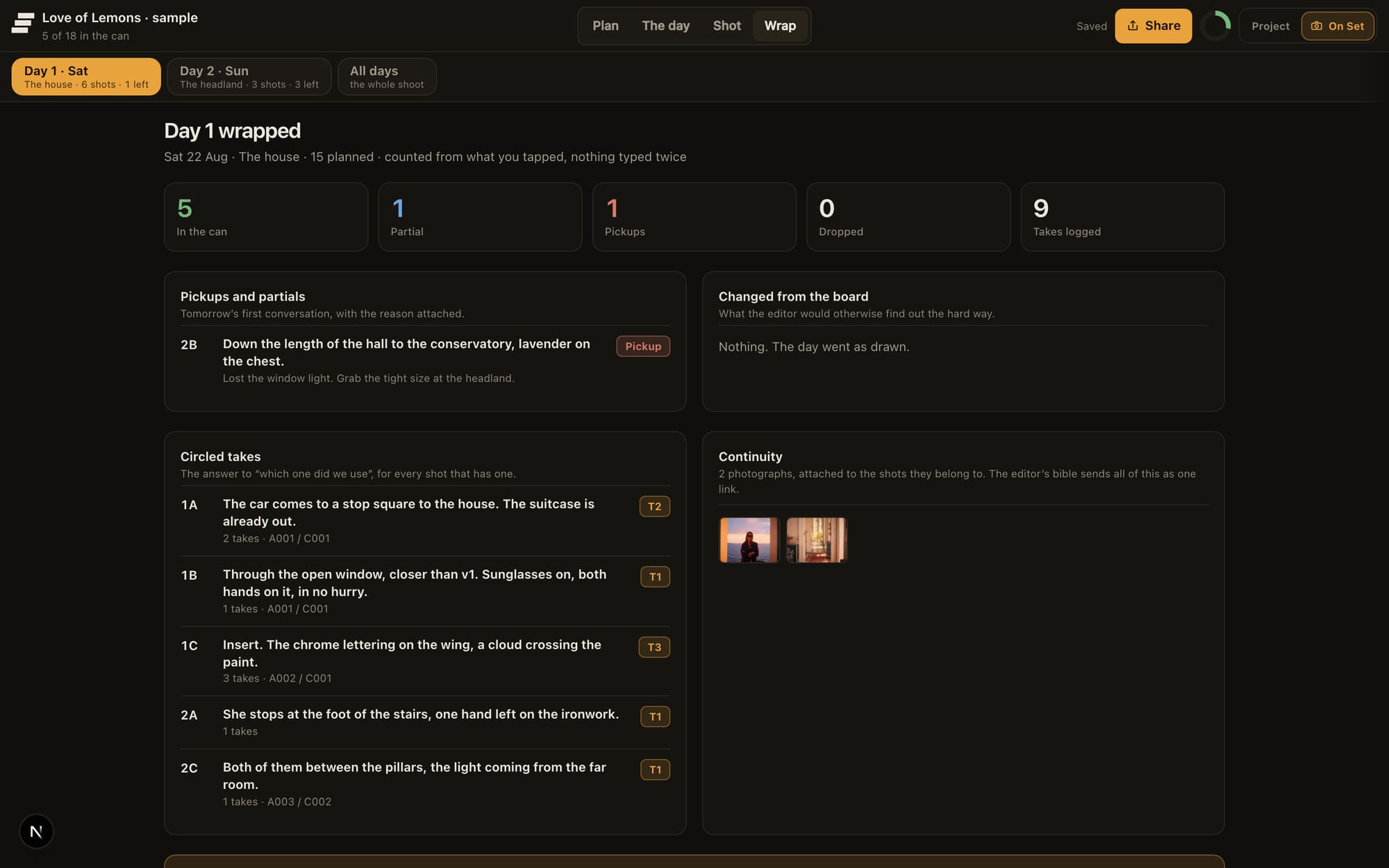
Wrap, where the day's record is gathered for the edit.
Marking completed shots, circled takes and pickups during the day gives the editor and production a clearer record than a clean pre-production list that stopped being updated at call time.
The amount of detail depends on the job. The useful principle is simply to avoid throwing away information you have already organised.