Planning a shoot day
On Set opens from the board, on the Project | On Set switch, and it works the same on a laptop, a tablet and a phone. Plan is the first of its four views: Plan · The day · Shot · Wrap. It lays the week out as a stripboard. The shots that have not been placed yet sit in a pool on the left, grouped by scene in the board's order, and each shoot day is a column beside it.
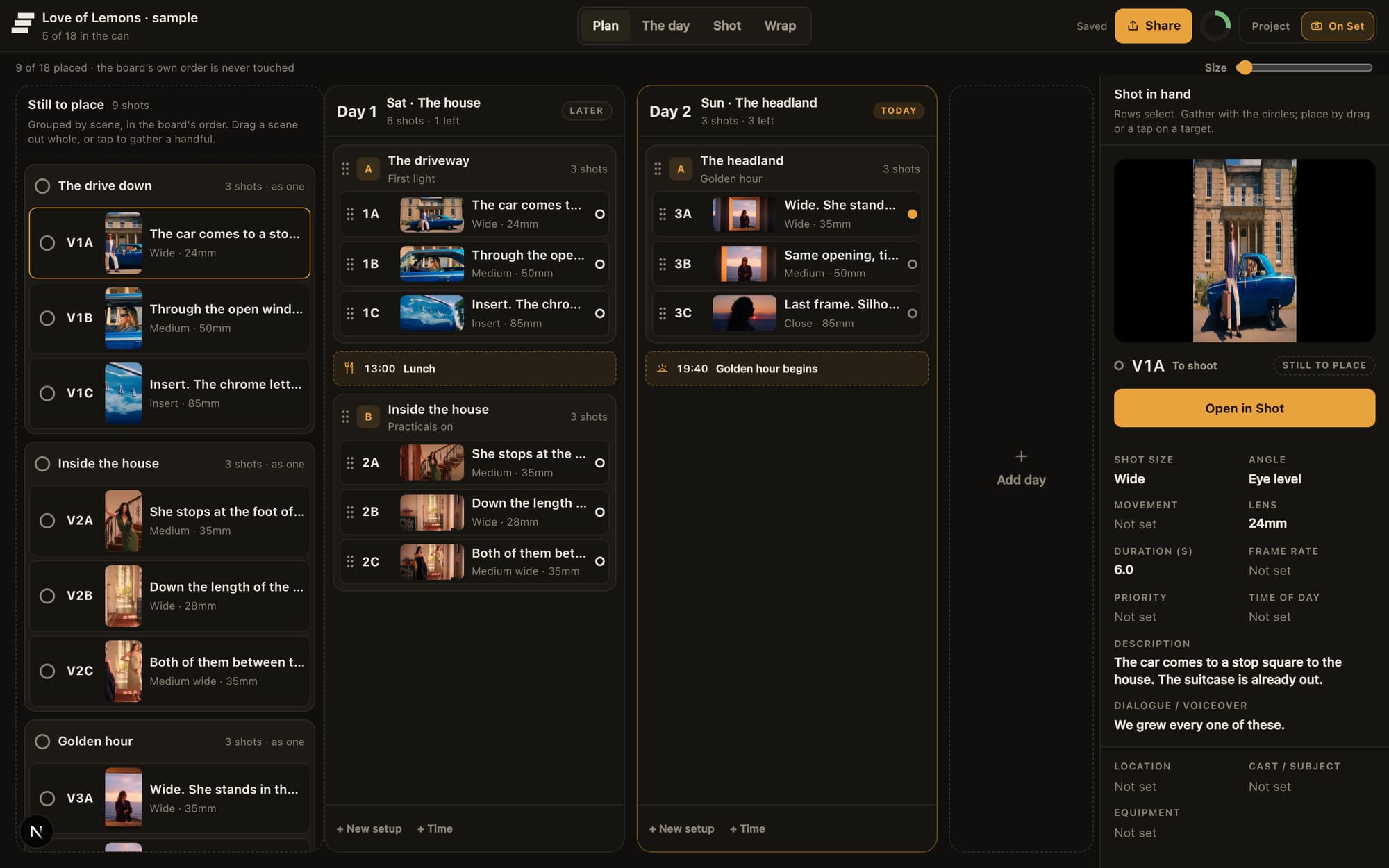
Two days as columns. Setup A is The driveway, first light; Setup B is Inside the house, practicals on.
Making a day
Press Add day and give it a date. Days belong to the project rather than to one board, so a job shooting a hero film and a vertical cutdown on the same morning plans them together. A day can be re-dated or removed later without touching anything recorded against its shots.
Setups
A setup is a place and a lighting state, named in your own words: The driveway, Inside the house, lamps on. They letter themselves A, B, C down the day, so a setup reads as Setup B, walled garden. It is not a camera position and it is not a time. Nothing here computes a schedule.
You do not have to build the structure first. Drop a shot into an empty stretch of a day and a setup is made around it, named after its scene. Drop a setup back on the pool and it dissolves: the shots return to unplaced and nothing they recorded is lost.
Getting shots into the day
- With a mouse, drag. Strips move between columns, a whole scene can be dragged out of the pool at once, and a setup moves between days by its banner.
- With a finger, tap to gather. Tap the shots you want, or a scene heading to take the scene, then tap the setup or the day they belong to.
The day's order and the board's order are separate
Placing a shot in a day never changes the board. The board keeps the order the film is in; the day carries the order it will be shot in. Neither is derived from the other, so you can reorder the day as often as the schedule changes without touching the story.
An unplaced shot still shoots. It appears in the day with everything else, at the end, and nothing nags you to file it first.
Planning needs a connection
Plan is office work, and it says so when the signal goes: planning the day needs a connection, and the shoot screens do not. Do the planning where there is coverage, and the day itself will keep working when there is none.
Crew call, lunch and the light
Anchors are the few fixed facts of a day, typed in rather than calculated: Crew call, Lunch, Company move, The light and Hard out. They sit in the running order where they happen, so the plan reads the way the day will.